
Object storage
Object storage gives your services somewhere to put files, such as user uploads, generated PDFs and exports.
Buckets are S3-compatible, so the SDK you already use works unchanged. They are private by default, they connect to a service without you copying credentials around, and any of them can be switched to a public URL served from a CDN when the files are meant to be read by everyone.
Provisioning
On the project canvas, click Create and choose Bucket. Give it a name between 2 and 16 characters and confirm. It is ready as soon as it appears.
A bucket belongs to one environment, so development and production keep separate files. An environment can hold up to 10 buckets.
Connect
A service reaches a bucket with S3 credentials, which you pass in as dynamic variables rather than pasting them anywhere. Open the service's Variables tab, add a key, click the link icon in the value field, and pick from the bucket's group.
A bucket exposes five values:
| Variable | What it is |
|---|---|
bucket | The bucket name to address in API calls |
endpoint | The S3 endpoint to point your client at |
region | The region the bucket lives in |
accessKeyId | Access key |
secretAccessKey | Secret key |
Name the keys whatever your library expects. The quickstart wires them up as S3_BUCKET, S3_ENDPOINT, S3_REGION, S3_ACCESS_KEY_ID and S3_SECRET_ACCESS_KEY.
The credentials are scoped to your workspace. One access key covers every bucket in it, so a service holding one bucket's variables can reach the workspace's other buckets too, but nothing outside of it.
The bucket's Connect tab shows these credentials, along with ready-made configuration for environment variables, the AWS CLI, rclone, Node and Python.
Public read
Buckets are private by default. Objects are reachable only with the credentials, which is what you want for anything belonging to a particular user.
For files meant to be served to everyone, such as avatars, product images and downloads, open the Connect tab and switch Public read on. The bucket gets a public HTTPS URL served from a CDN, shown on the same tab. Its certificate is issued in the background, so the URL can take a few minutes to start answering.
Switching it back off removes the public URL, and the objects go back to being reachable only with the credentials.
File explorer
The Files tab is a browser for the bucket. It lists objects and folders, walks into prefixes, and lets you create folders, upload (dropping files onto it works), download and delete without a client.
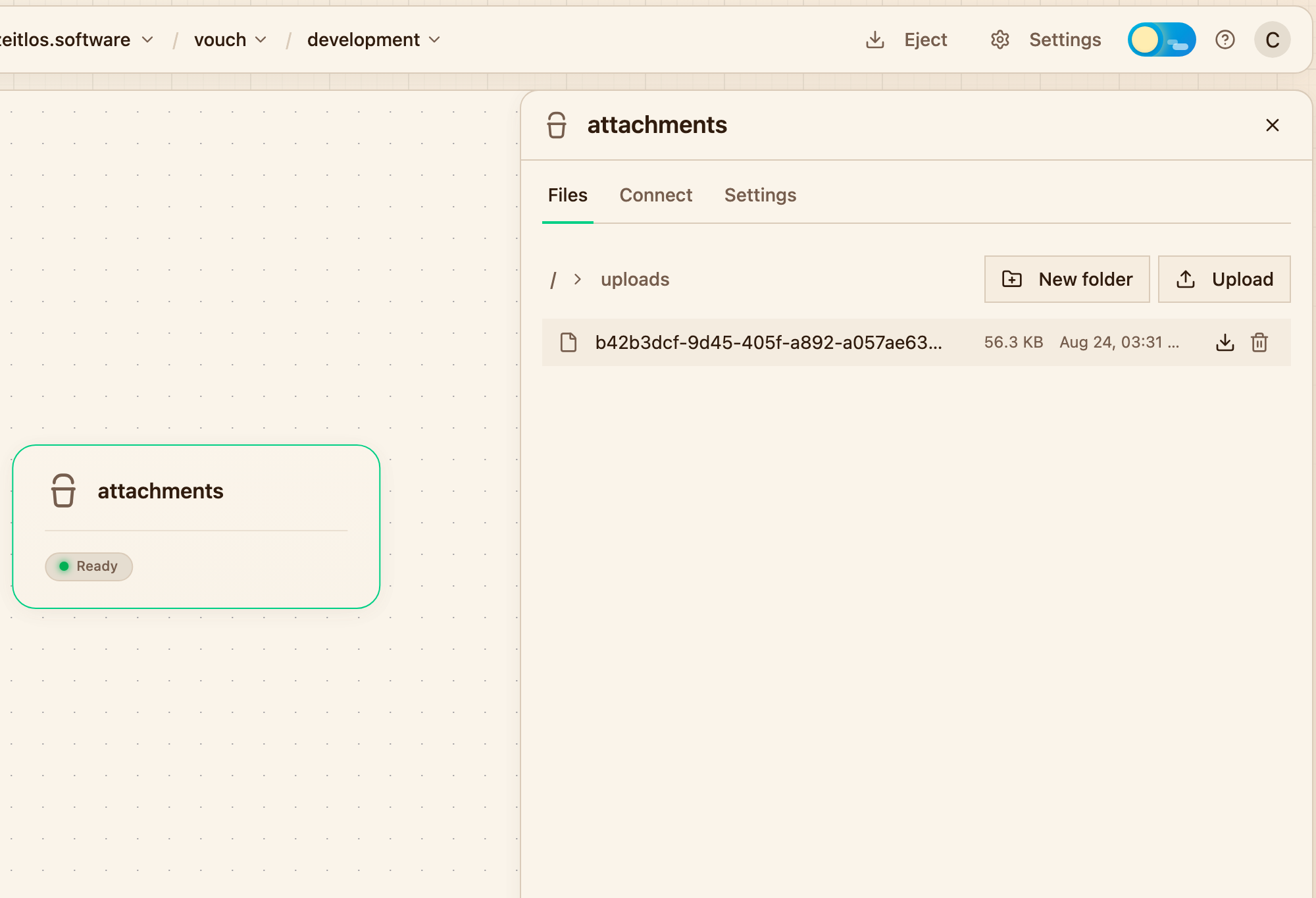
Browsing a prefix, with upload, download and delete in reach.
It is meant for checking that an upload landed where you expected, pulling a file out to look at, and seeding a development bucket with a handful of objects. For bulk work, use the credentials with the AWS CLI or rclone.
Deleting a bucket
Deleting is on the bucket's Settings tab, alongside its region, current size and object count. It destroys every object in it and the credentials' access to it, with no restore and no retention window, so a service still consuming its variables will start failing on its next request.
Under the hood
Buckets are ordinary S3 buckets, currently hosted on OVHcloud object storage in Europe. Running storage hardware is out of scope for Lucity, so the platform provisions buckets from a provider rather than operating its own. The credentials are kept as a Kubernetes Secret in your environment's namespace, which is where dynamic variables read them from, and a public bucket is a CDN pull zone in front of a read-only view of it.
Nothing about that is Lucity-specific: an ejected project keeps its buckets and its credentials exactly as they are. If you would rather host the storage yourself, Garage(opens in a new tab) is a good S3-compatible target to move them to.
Next steps
- Variables for wiring a bucket into a service
- Volumes for when a service needs a real filesystem instead
- PostgreSQL for the data that does not belong in a bucket