
Environments
An environment is one copy of a project, with its own services, databases, key-value stores, buckets and volumes. Every project starts with development, and you add environments such as staging or production as you need them.
Environments are separate from each other. Each has its own configuration and its own domains, and nothing you change in one reaches another.
Switching environments
The environment switcher sits in the header, next to the project name. It lists every environment in the project along with its tier, and the canvas shows whichever one you pick.
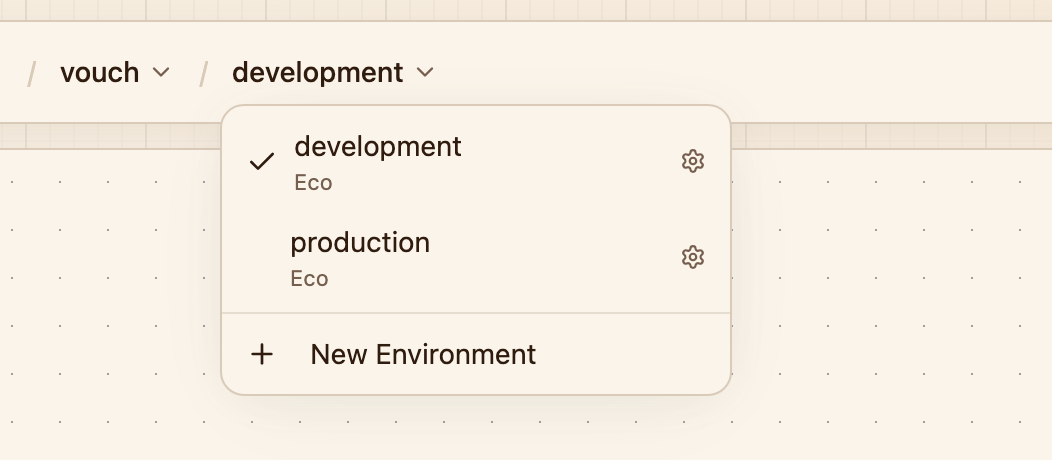
Every environment in the project. The gear next to one opens its settings.
Creating an environment
Choose New Environment in the switcher, then give it a name and a tier. Names are 2 to 16 lowercase letters, digits and hyphens. They appear in URLs and platform domains, so they can't be changed later.
A new environment starts empty. Add its services and resources the same way you did in development. Each service tracks its own branch, so production can build from main while development follows whatever you are working on.
Services in development deploy on every push by default. In any other environment, auto-deploy starts switched off, so those services only change when you deploy them from the dashboard, the CLI or CI. You can turn it on for a service under Settings → Source.
What stays separate
The private network. Services reach each other and the environment's databases and key-value stores over a private network that ends at the environment. A service in development can't reach anything in production that way. It would have to go through a public domain, like any other client on the internet.
Configuration. Variables belong to a service and shared variables to an environment, so every environment is configured on its own. A dynamic variable can only point at a resource in its own environment.
Domains. Every service gets its own platform domain in each environment, and custom domains are added per service, so production gets its own.
What environments share is access. Everyone in the workspace can see and change every environment, and there are no per-environment permissions.
Tiers
Every environment has a tier, which decides how its services and databases get CPU and memory.
| Tier | What it does | Suited for |
|---|---|---|
| Eco | Services share capacity and can burst beyond what is reserved for them. You pay for what they actually use, and performance can vary under load. | Development, staging and side projects |
| Production | The full CPU and memory of every service is reserved for it. | Production workloads with predictable load |
New environments start on Eco. To change the tier, open the project's Settings → Environments, expand the environment, pick a tier and click Save tier. A service or database picks up the new tier the next time it is created or its resources change. See billing for what each tier costs.
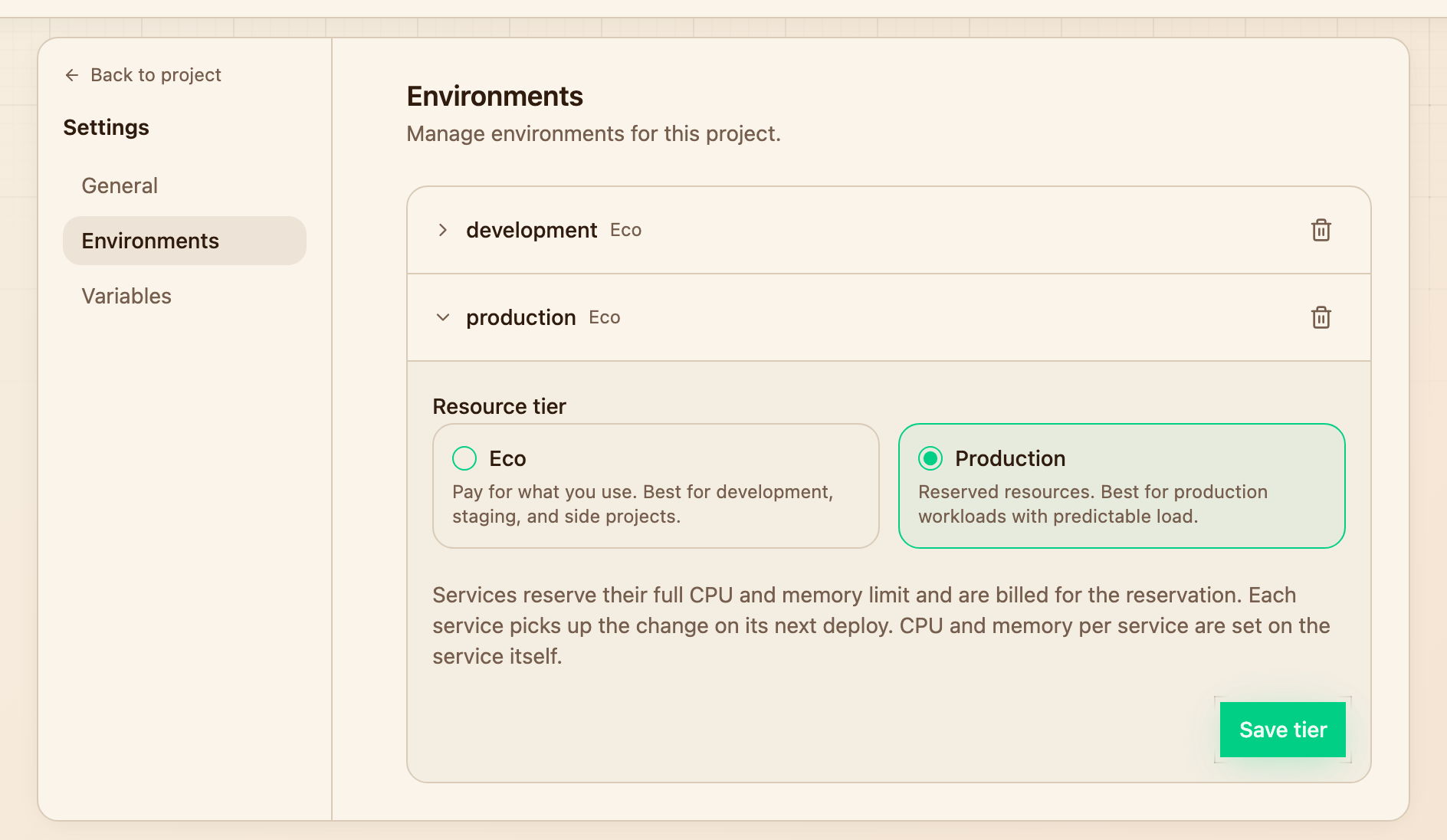
Each environment's tier, under the project settings.
Deleting an environment
Open the project's Settings → Environments and click the trash icon next to the environment. It has to be empty first, so remove its services, databases, key-value stores, buckets and volumes beforehand.
A project always keeps at least one environment, so the last one can't be deleted on its own. To remove that too, delete the project.
Resource quotas
Every environment has a budget that covers everything inside it: services, databases, key-value stores and volumes together.
| Resource | Budget per environment |
|---|---|
| CPU | 32 vCPU |
| Memory | 64 GB |
| Storage | 4 TB |
That is room for a lot of application, and most projects never come close. When an environment does run out, new instances stop being placed and the deployment that tried to start them fails with a quota error.
The budget is not self-service. To have it raised, email christian@zeitlos.software with the workspace, the project and the environment, and roughly what you need it to be.
Next steps
- Projects for what holds the environments
- Variables for configuring each environment
- Deployments for getting code into an environment