
Billing
Every workspace has its own plan and its own invoice. The plan's monthly fee comes back to you as credit for the resources your projects use, so you only pay extra for usage beyond it. The plans and the rates for resources are on the pricing page.
What you pay for
Resource usage is the CPU, memory and disk taken up by your services, databases, key-value stores and volumes.
How CPU and memory are counted depends on the environment's tier. In an Eco environment you pay for what your services actually use, so a service that sits idle costs very little. In a Production environment you pay for the CPU and memory reserved for each service, whether it uses them or not. Disk is billed at its full size, however much of it is filled.
Usage is paid from the plan's credit first, and anything beyond it is added to the next invoice. Credit left over at the end of a billing period doesn't carry over.
Tracking usage
Open Workspace settings from the avatar menu in the top right and choose Billing. It shows the plan, when the current billing period ends, and what the workspace has used so far in this period.
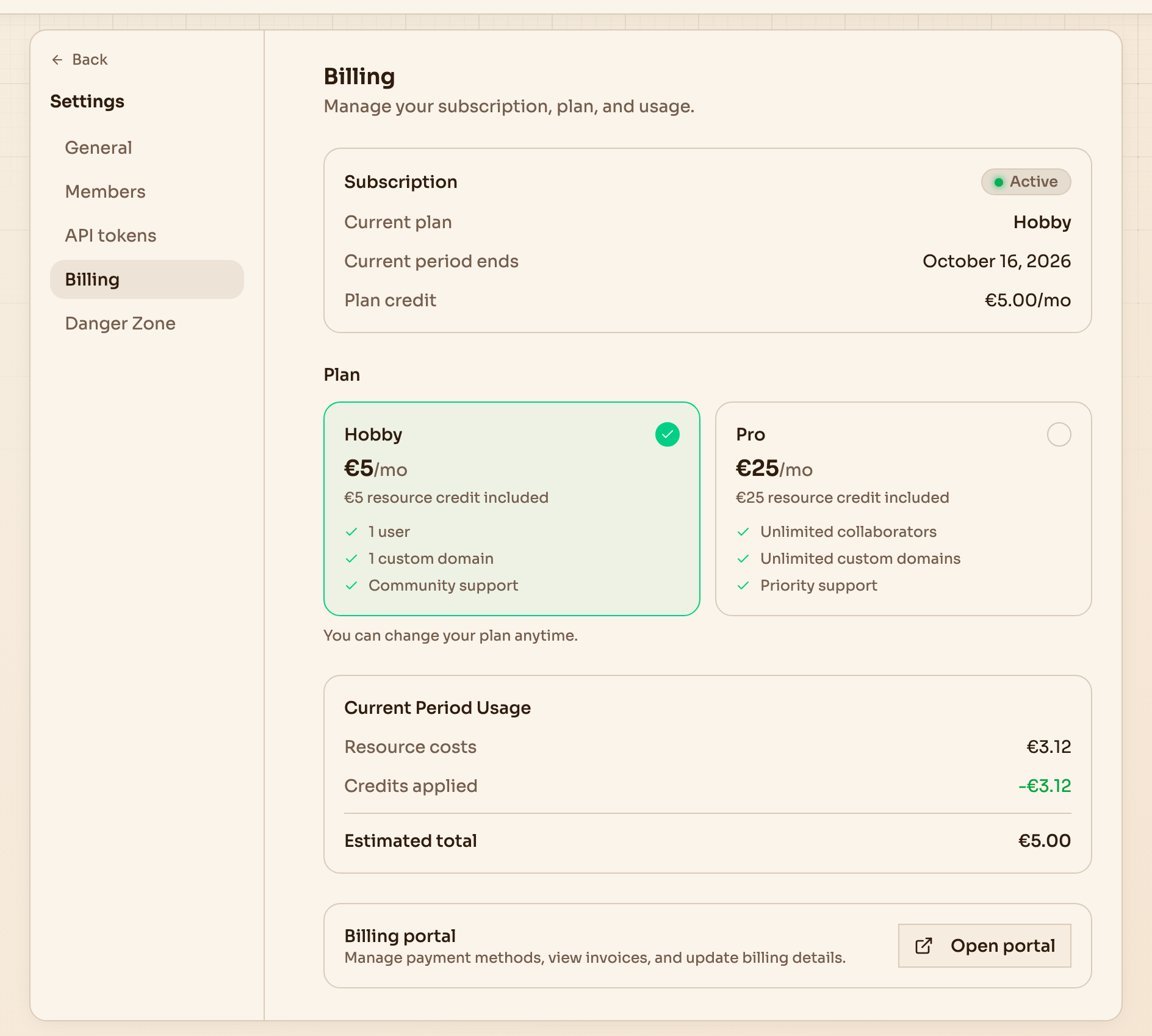
The estimated total is the plan fee plus whatever usage the credit doesn't cover.
The free trial
When you sign up, your personal workspace gets a free trial of 14 days or €5 of usage, whichever runs out first. No credit card is needed. A badge in the dashboard header counts down both.
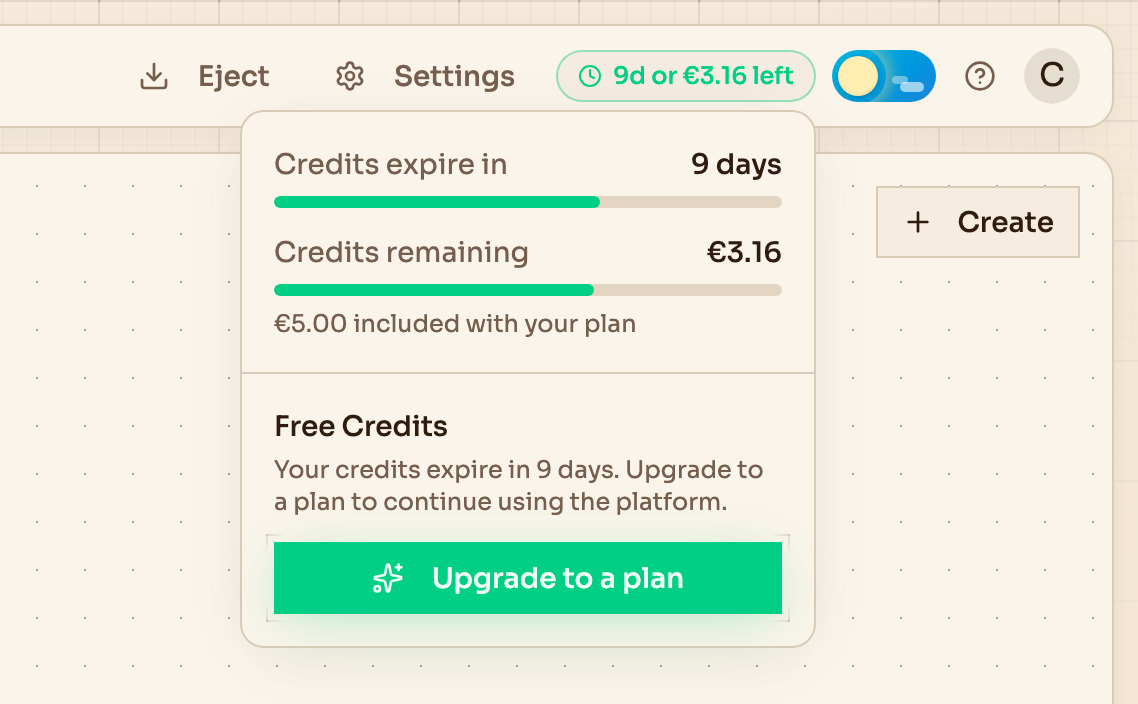
What's left of the trial, one click away.
To keep the workspace running, choose a plan under Billing and add a payment method. If the trial runs out first, the workspace is suspended until you do.
Only your personal workspace gets a trial. Creating any other workspace asks you to choose its plan and pay for it straight away.
Changing plans
Switch between Hobby and Pro under Billing at any time. The new plan applies immediately, and the fee is prorated for the rest of the billing period.
Payment methods and invoices
Open portal under Billing takes you to the billing portal, where you change the payment method, download invoices and update your billing details.
Everyone in the workspace can see its plan and usage, but only admins can change the plan or open the portal.
Suspension
A workspace is suspended when its trial ends without a plan, or when a payment fails. While it is suspended:
- Services stop, and their domains stop serving traffic.
- Databases and key-value stores are paused.
- Nothing can be built, deployed or changed, but you can still look around the dashboard.
Your data stays put. Databases, volumes and buckets keep their contents, and everything comes back the way it was.
A banner across the top of the dashboard leads to the fix. After a trial, choose a plan. After a failed payment, update the payment method in the billing portal. As soon as the payment goes through, the workspace resumes on its own.
Next steps
- Workspaces for members, roles and who can manage billing
- Environments for choosing a tier